
Zero-knowledge encryption that never trusts the cloud.
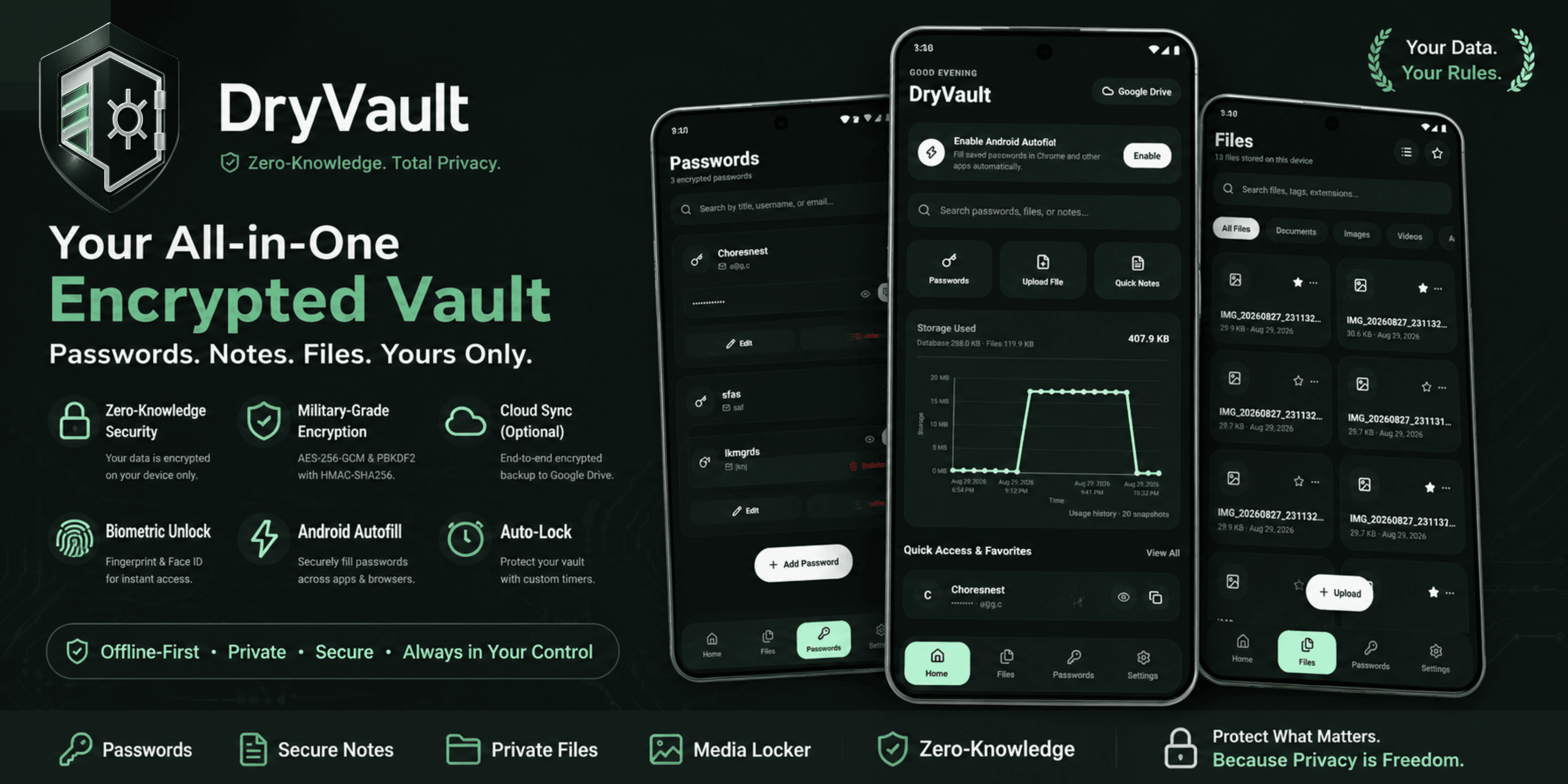
DryVault stores your passwords, private files, and secret notes directly on your physical hardware. No accounts, no central servers, and zero telemetry. Cloud persistence is strictly optional through your isolated Google Drive.
TRUSTED OPEN CRYPTOGRAPHIC ARCHITECTURE
VERIFIABLE METRICS
Architected for total user sovereignty
Unlike cloud password managers that hoard master user databases, DryVault operates with zero network backdoors.
Zero proprietary servers or user accounts.
We never receive, route, or inspect a single bit of your data.
Authenticated AES-256-GCM hardware encryption.
Every password, file, and note encrypted right on your physical chip.
Offline-first privacy with optional Drive sync.
Your Master PIN and derived key never leave volatile RAM.
COMPLETE SUITE
Explore your offline security fortress
Every feature is purpose-built with zero-knowledge math, offline-first execution, and intuitive tablet-ready ergonomics.
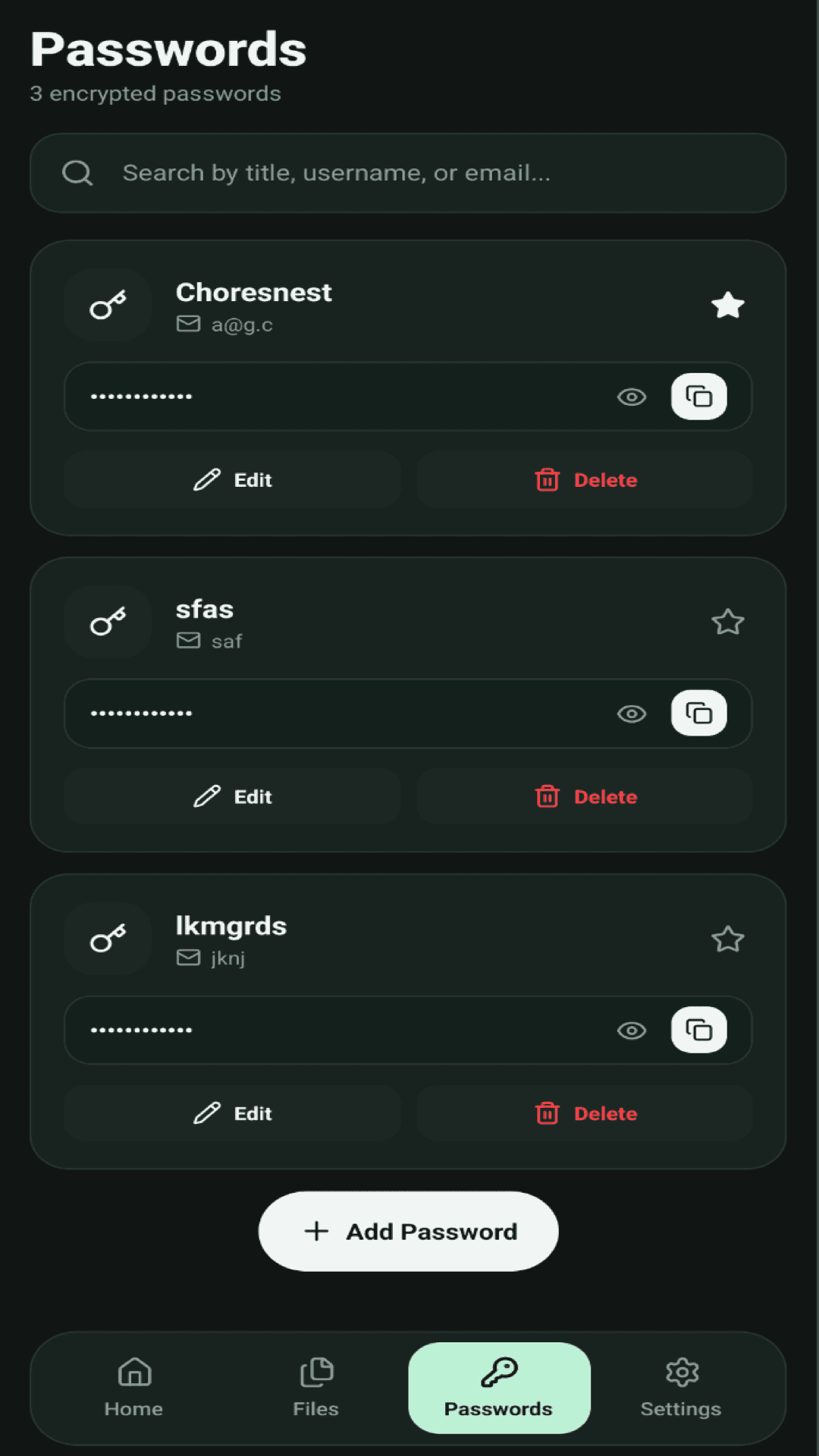
Encrypted password manager with instant clipboard hygiene
Manage all your website and app credentials without exposing them to cloud intermediaries. Store passwords, emails, usernames, and notes with one-tap reveal and secure Android Autofill integration.
SECURITY PROVABILITY
Zero control by design. We hold nothing.
DryVault is not a web SaaS. It is an air-gapped cryptographic engine running natively on your hardware. We do not operate databases, user accounts, or secret relay nodes.
100% Local On-Device Storage
By default, your encrypted database lives exclusively in your device's isolated application storage. No account creation, no signups, no sync servers.
Hardware AES-256-GCM Cipher
All passwords, files, and notes are encrypted with authenticated AES-256-GCM. Decryption keys are derived locally using PBKDF2-HMAC-SHA-256.
Zero-Knowledge Google Drive Persistence
If you want persistence across devices, your app encrypts the SQLite database locally and syncs directly to your private Google Drive AppData folder. We never touch or see it.
RAM Zeroing On Lock
The moment you lock your vault or auto-lock fires, decryption keys are overwritten with zeros in volatile memory, protecting against cold memory extraction.
How your data stays strictly between you and your storage
Client Hardware
Your Master PIN is converted to a 256-bit cryptographic key using PBKDF2-HMAC-SHA-256. Plaintext never leaves volatile RAM.
Encrypted SQLite Sandbox
Data written to flash storage is 100% ciphertext. Even if someone extracts your physical device storage, records cannot be decrypted without your PIN.
Your Private Google Drive
Optional persistence connects directly to Google Drive’s isolated AppData folder. Google stores only encrypted blobs (.enc). DryVault servers do not exist in the pipeline.
How DryVault differs from traditional cloud vaults
APPLICATION SHOWCASE
Inside the native DryVault tablet interface
Direct screen captures from the Android application in tablet view. Click any view for detailed feature specifications.
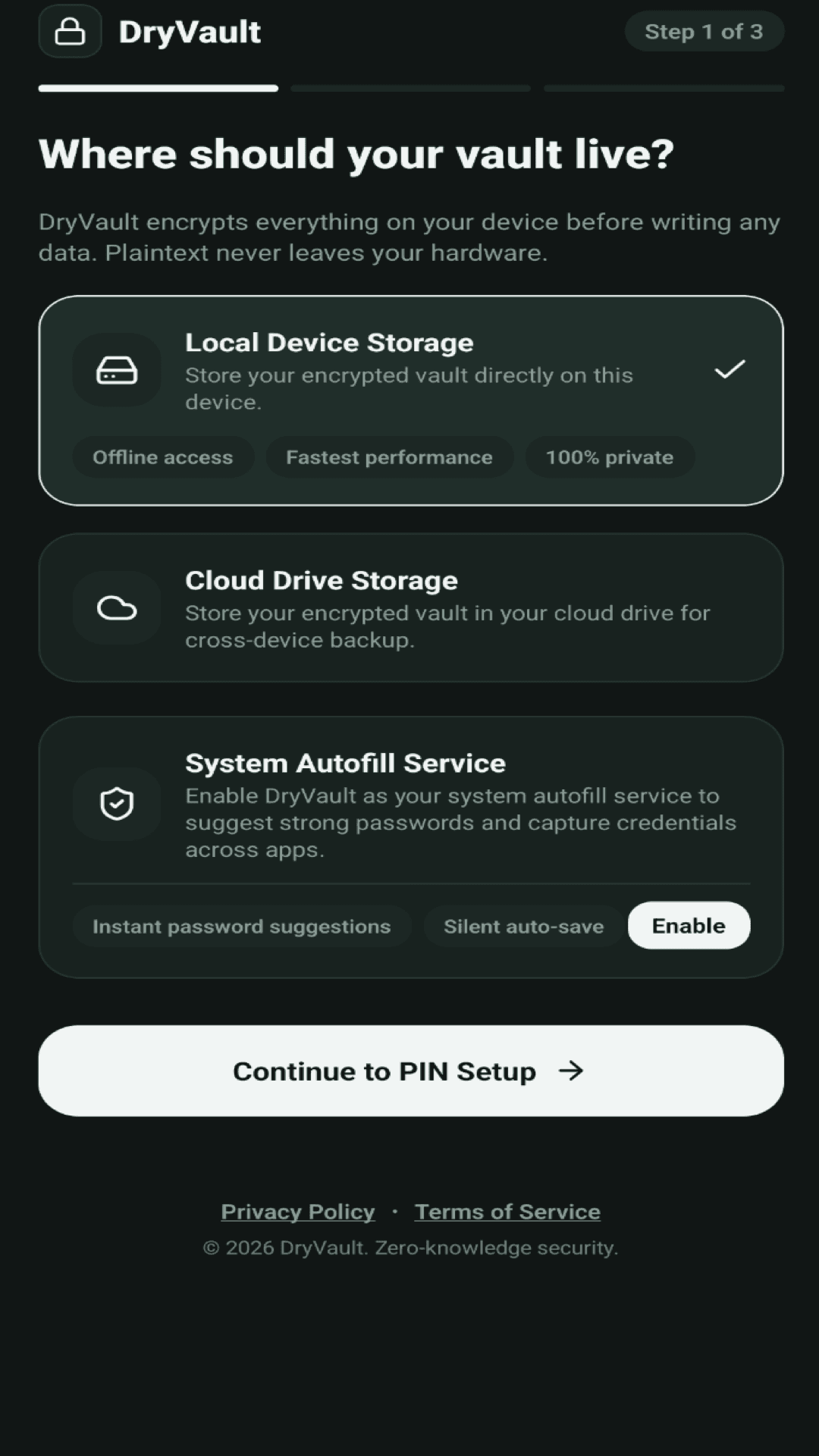
Storage Choice Onboarding
Choose local-only device storage or optional cloud persistence.
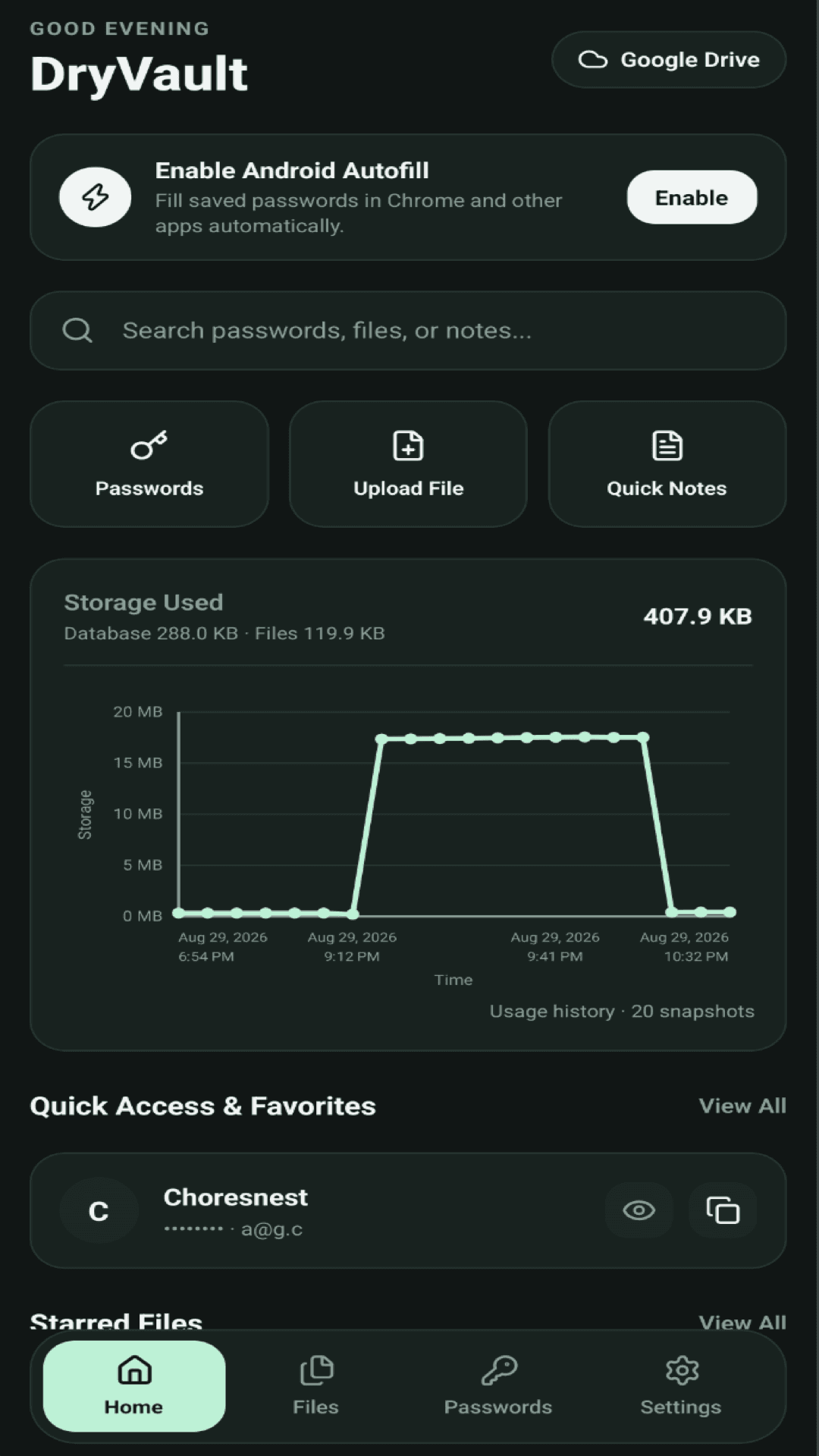
Vault Home and Storage Analytics
Live storage graph, historical snapshots, and quick access favorites.
Encrypted Password Manager
One-tap copy, reveal, edit, and starred credentials with memory hygiene.
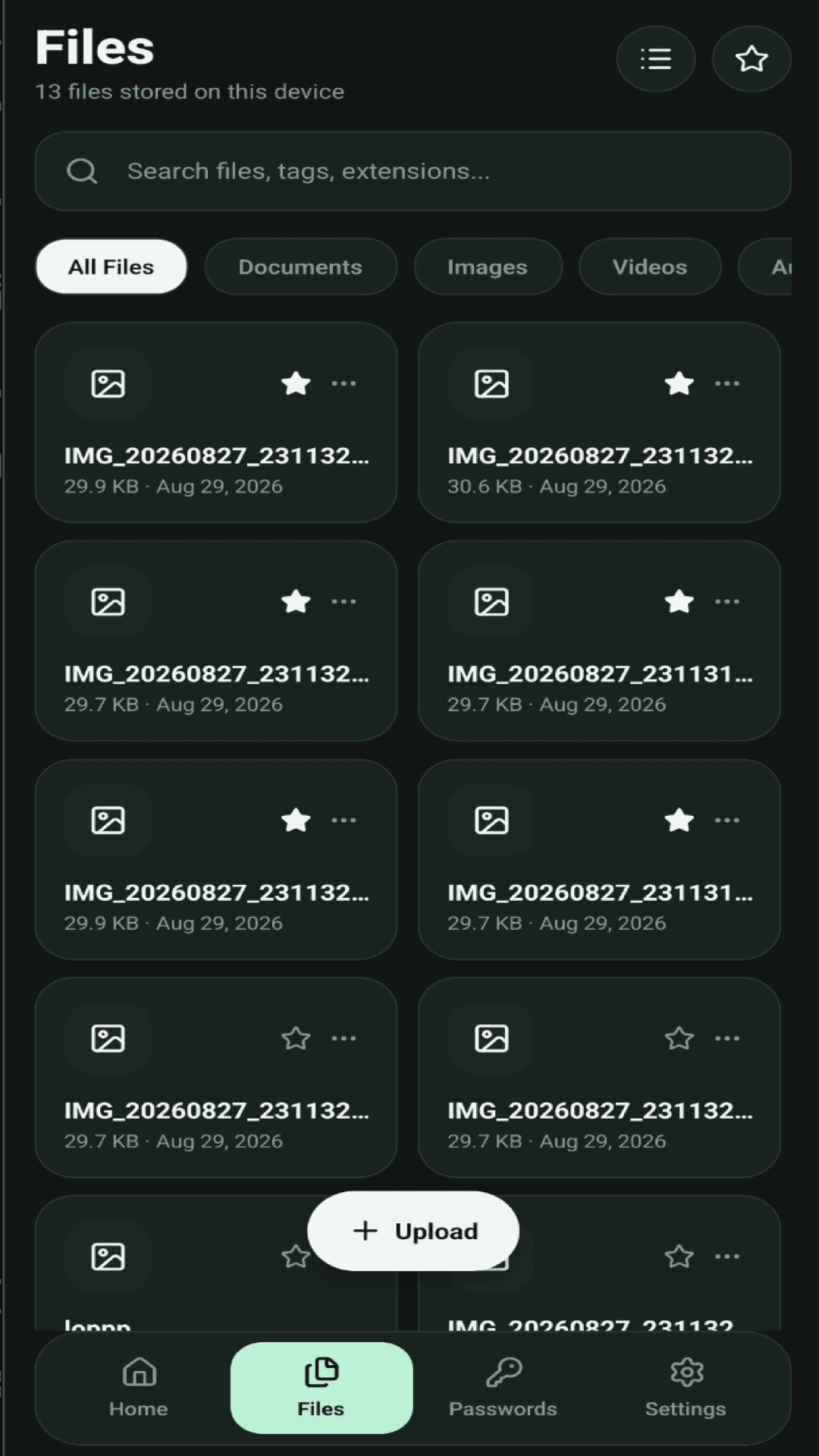
Private Files and Media Locker
Confidential document, image, and video vault isolated from galleries.
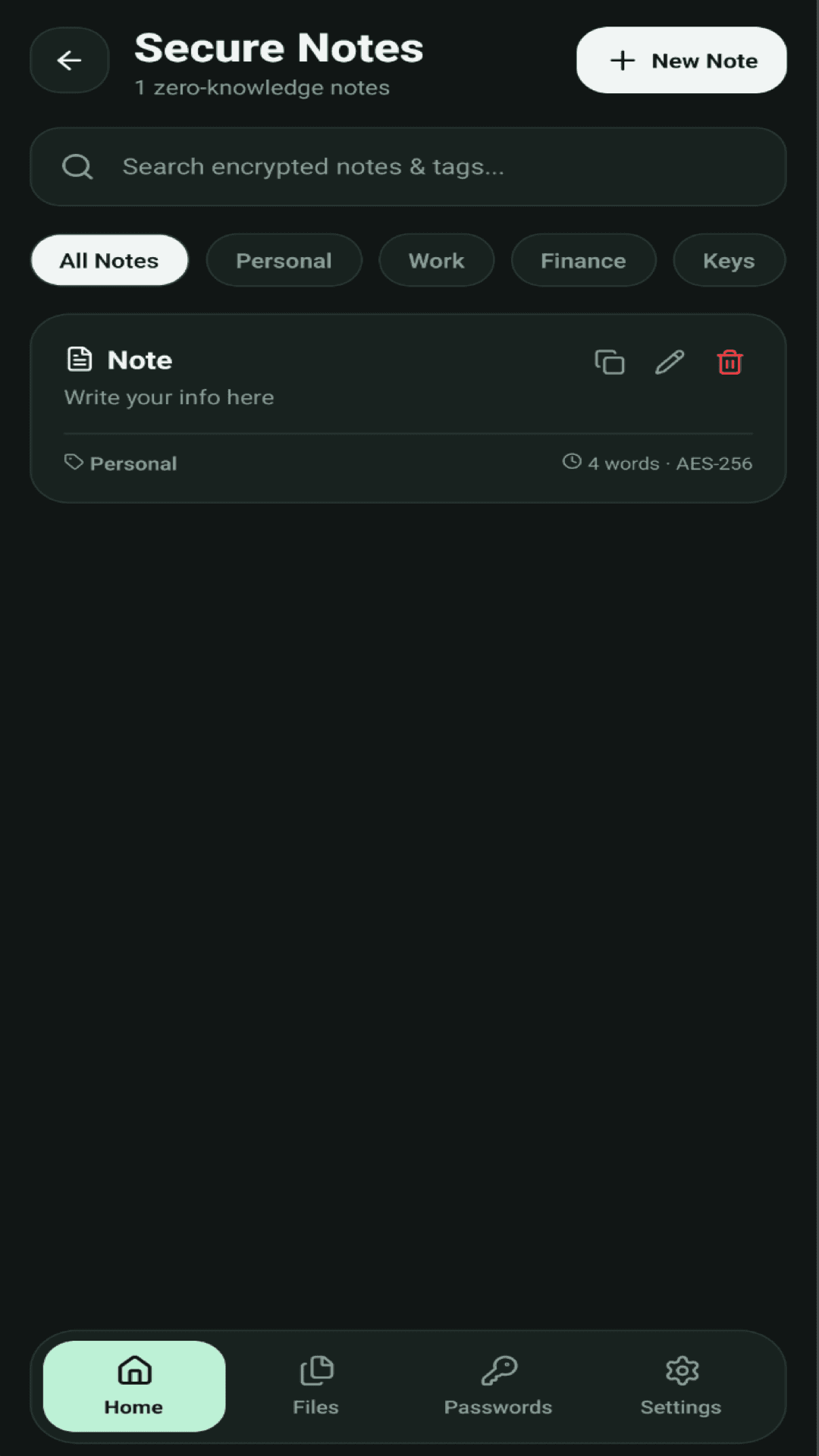
Zero-Knowledge Secure Notes
Tag-categorized private notes for recovery keys, finance, and personal memos.
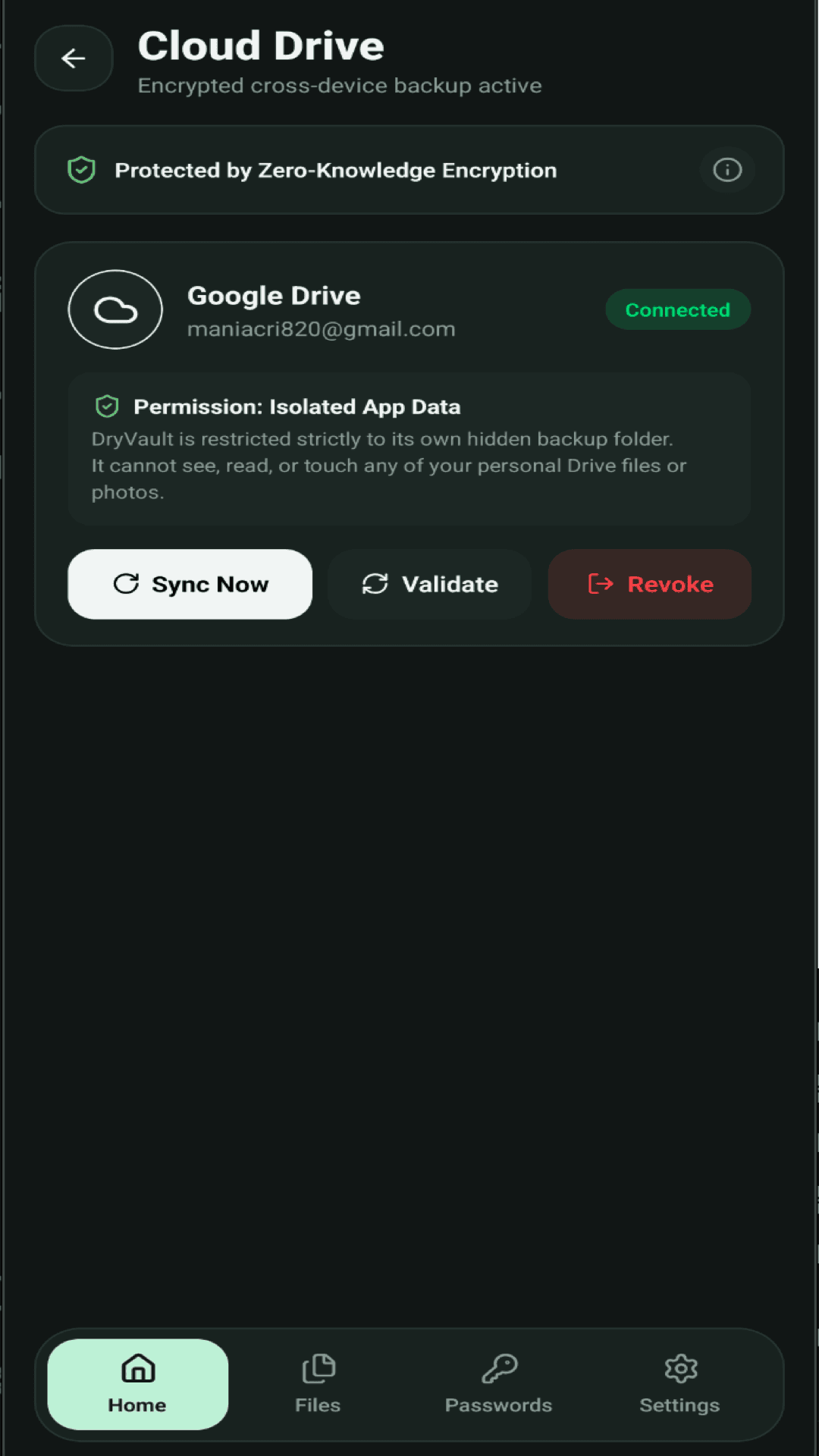
Isolated Google Drive Sync
Direct-to-drive ciphertext backup using isolated drive.appdata scope.
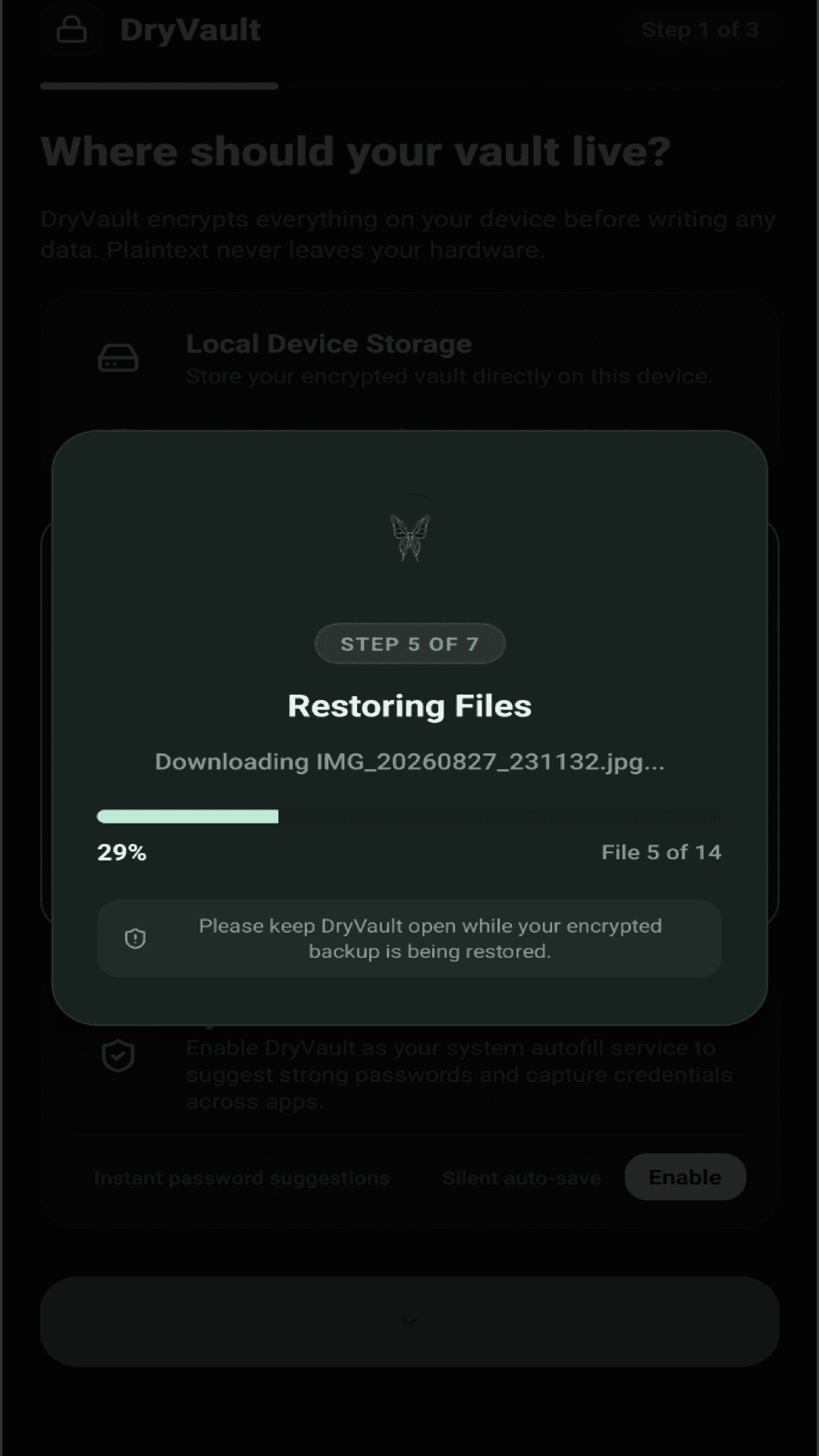
Encrypted File Restoration
Zero-knowledge stream decryption when restoring backups to fresh devices.
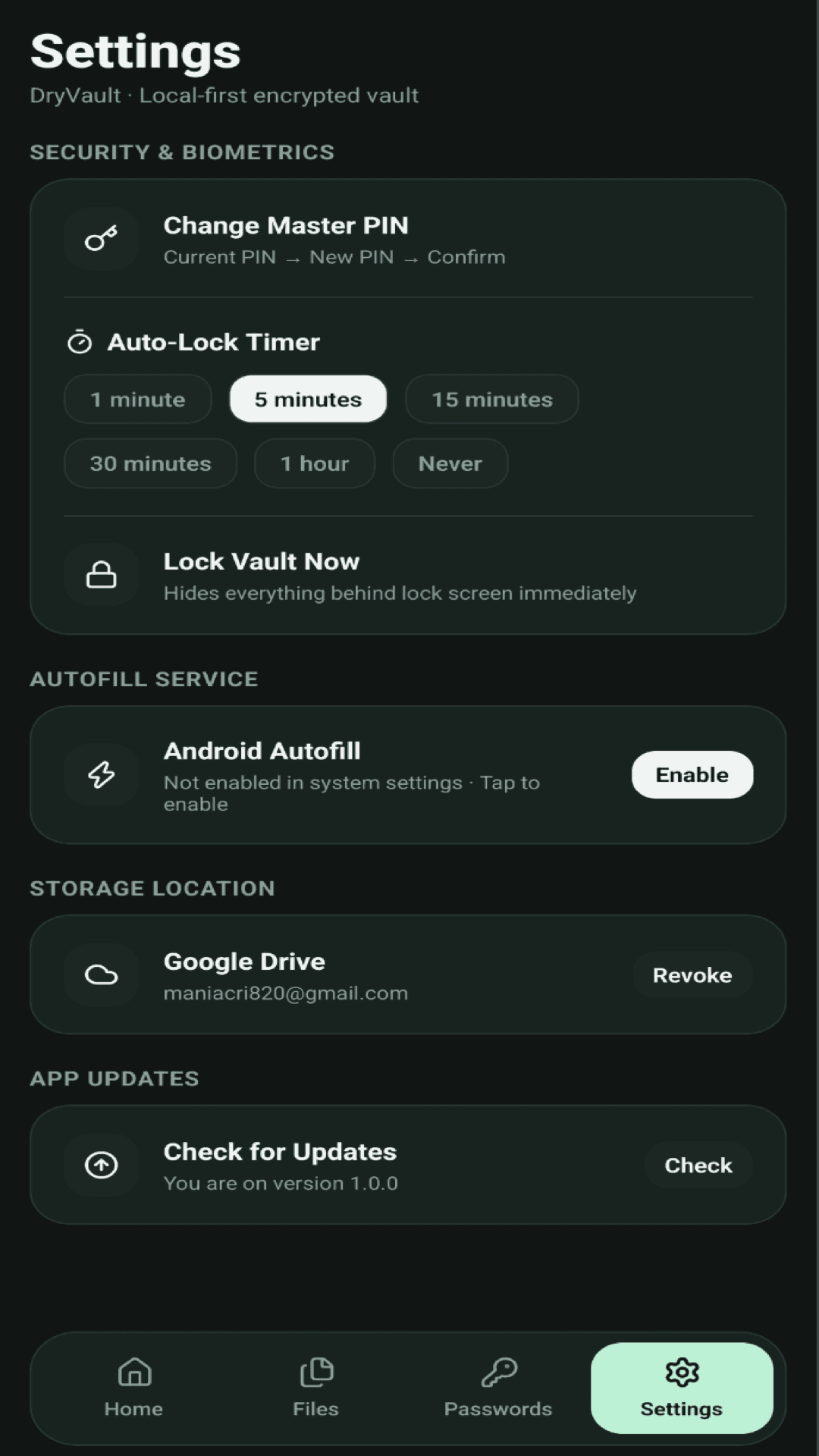
Security and Auto-Lock Controls
Change PIN, customize auto-lock timeouts (1m to 1h), and enable Autofill.
SECURITY RESEARCH PERSPECTIVES
Vetted by engineers who trust math, not promises
"The complete absence of a backend database eliminates 99% of cloud credential leakage vectors. DryVault's decision to treat cloud storage purely as an encrypted dumb-pipe to Google Drive is the gold standard for personal data sovereignty."
"Most password managers claim zero-knowledge but force telemetry and account registration. DryVault is authentically offline-first: you generate your database locally with AES-256-GCM, and your Master PIN never touches volatile wires."
FREQUENTLY ASKED QUESTIONS
Clear answers on architecture & privacy
Complete transparency on where your data lives, how encryption works, and why we hold zero access.
VERSION 1.0.4 · AVAILABLE FOR ANDROID
Reclaim your personal privacy today
Install DryVault on your Android phone or tablet. 100% offline-first. No accounts, no subscriptions, and zero data leaves your hardware without your consent.